Attention center
Example requests show how approvals, scope review, and recovery follow-up can be presented together. The sample rows are not a record of actual operations.

Product / RookHaven
RookHaven connects a browser-based Portal, local operator authority, and field appliances called Rooks for authorized security assessment work.
A Rook provides a physical presence inside an approved environment. The wider platform coordinates the people, approvals, protected workspaces, and review around that appliance.
RookHaven is intended for security teams and consultancies assessing distributed environments. It is not a generic remote-access service, an authorization to test, or a substitute for a customer’s security program.
RookHaven is a security-hardened Linux production candidate available for controlled customer evaluation. It is not advertised as generally available or certified.
Controlled evaluation means a scoped review with agreed participants, environment, activities, and acceptance questions—not unrestricted production use.
The overview brings attention items, the operator’s scope, workspaces, and fleet evidence into one view. This demonstration is based on the product interface, with fictional data added for illustration.
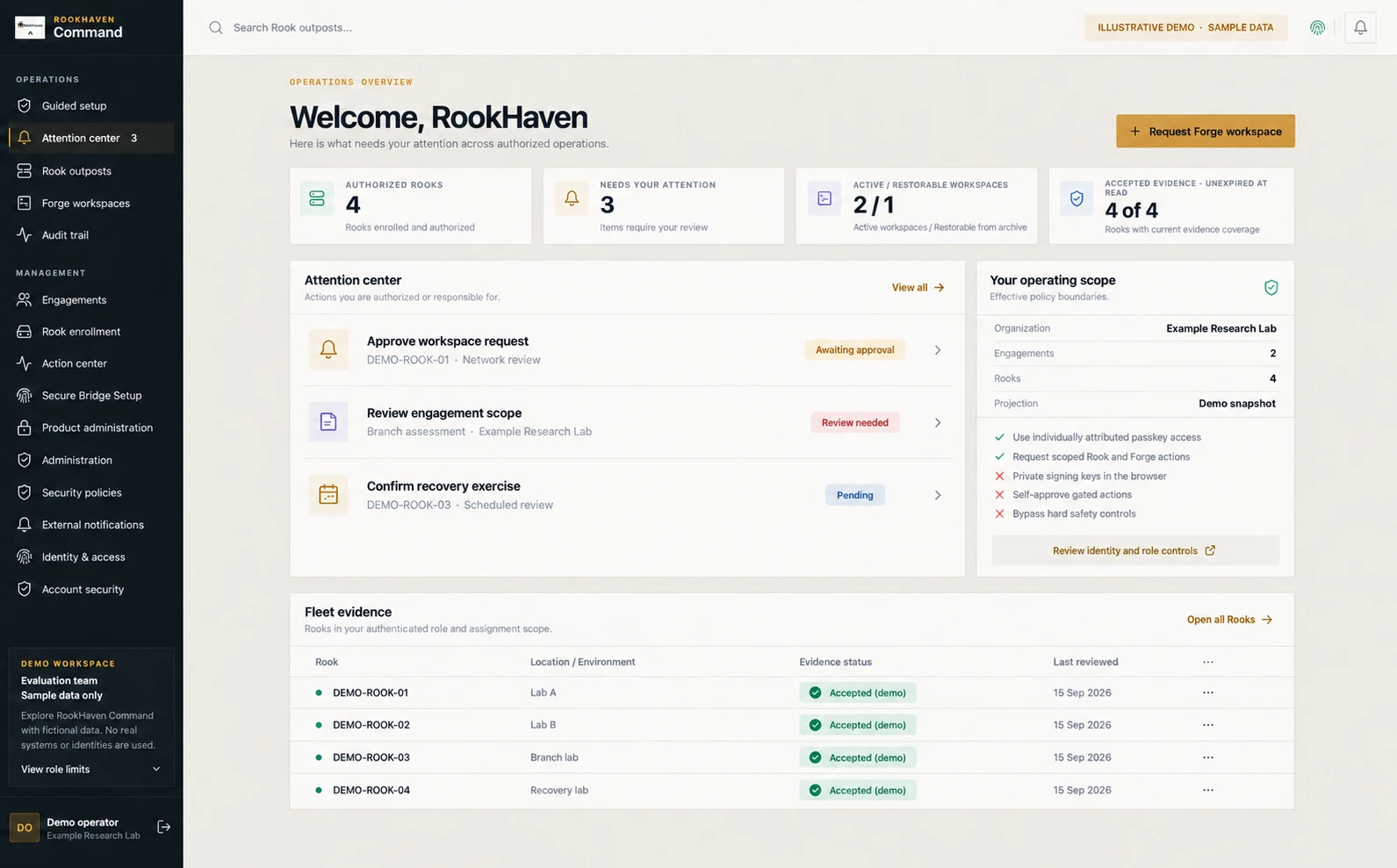
Example requests show how approvals, scope review, and recovery follow-up can be presented together. The sample rows are not a record of actual operations.
The interface distinguishes policy boundaries and evidence records. An authority or evidence record should not be interpreted as a live connectivity heartbeat.
| Component | Role in the assessment | What to establish in evaluation |
|---|---|---|
| Portal | Shared view for customer teams, operators, and approvers. | Which roles can view, request, approve, and review each action. |
| Rook | Field appliance placed in the approved assessment environment. | Exact hardware and Linux profile, placement, custody, connectivity, and recovery ownership. |
| Forge | Protected workspace for authorized assessment activity. | Scope boundaries, permitted tools, data handling, and workspace closeout. |
| Sentinel | Guidance and evidence supporting evaluation. | Which supporting records exist for the candidate under review, and which acceptance work remains. |
Component names describe the public product model. Packaging, support, integrations, and compatibility are established for the proposed engagement; this is not a supported-platform catalogue.
This illustrative sequence explains the intended workflow. It is not a product screenshot, a customer case study, or proof that a deployment has passed acceptance.
The customer identifies the environment and owner. The team agrees scope, operating window, permitted activity, stop conditions, and who may approve a change.
The Rook is placed in the agreed environment. Operators work within the approved assessment workspace; requests outside that boundary require review before proceeding.
The team reconciles observations with the original objective, records unresolved questions, and confirms the treatment of access, workspaces, and retained evidence.
| Area | Customer input | Evaluation decision |
|---|---|---|
| Environment | An authorized owner, approved targets, and operational restrictions. | Whether the intended placement and activities are permissible. |
| Platform | Hardware, firmware, Linux version, kernel, and relevant update tooling. | Which exact profile has supporting validation; changes may require revalidation. |
| Connectivity | Network policies, permitted connectivity, and local access constraints. | Required network paths and responsibility for approving them; no blanket port or topology claim is made here. |
| Operations | Available operators, approvers, maintenance windows, and recovery contacts. | Who performs updates, exercises recovery, and authorizes return to service. |
| Commercial scope | Number of locations, intended work, timing constraints, and procurement needs. | Equipment, review effort, support, fees, and acceptance terms in the engagement scope. |
Production use requires evidence for the specific deployment. The documented gates include signing custody, exact-platform validation, applicable external high-availability controls and audit witnesses, recovery exercises, and independent review.
This site does not publish a certification, a universal hardware compatibility list, measured performance guarantees, or a claim that every gate is complete.
Inspect the acceptance framework →Review the process, then send the environment and questions you want to cover.